Check out the programme and create your personal agenda for CELUMsummit 26

CELUMsummit 26

MS Azure Custom Tags

AI‑powered custom tagging for precise and accessible metadata.
Microsoft_Azure lgog icon

What is MS Azure Custom Tag?

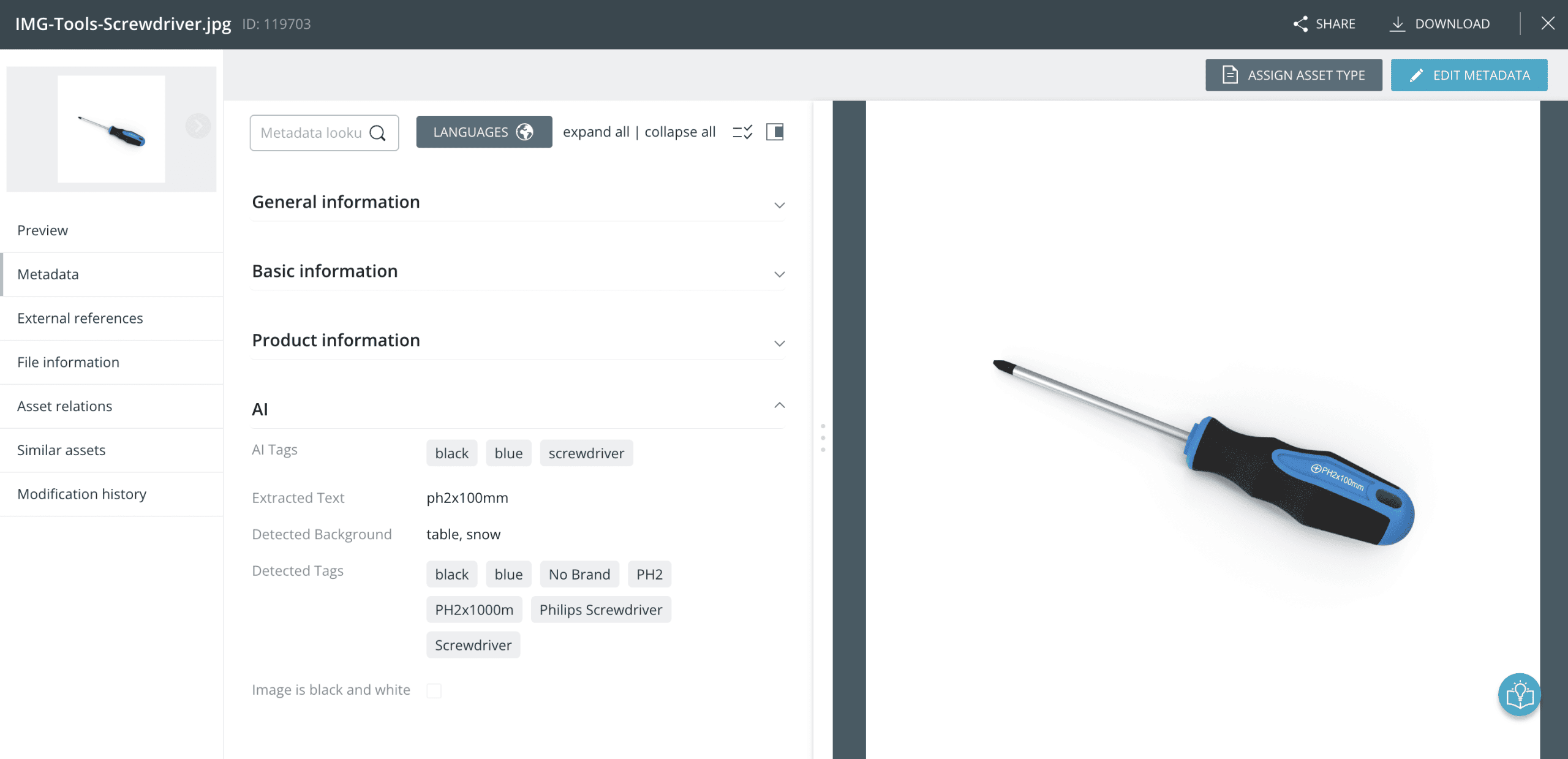
MS Azure Custom Tag automatically analyses your images using Microsoft Azure’s AI services and applies precise, business‑specific tags based on your own taxonomy. This enables you to improve image analysis in specialised application areas and ensures your assets are consistently and accurately tagged — without any manual effort.

Why does this integration make sense?

This extension provides automatic object detection and intelligent tag creation, using your own input and taxonomy to ensure tags perfectly match your business needs. By automating this process, MS Azure Custom Tag delivers consistent, relevant metadata while significantly reducing manual effort.

benefits

BETTER DISCOVERABILITY

Your assets become easier to find with accurate, business‑specific tags generated from your own taxonomy.

TAILORED TAGGING

Use your organisation’s terminology to ensure tags match your business language and remain consistently relevant.

TIME-SAVING ADJUSTMENTS

Quickly refine the model without any machine‑learning experience, reducing manual effort and speeding up workflows.

IMPROVED ACCESSIBILITY

Automatic captions and alt‑text make your images more accessible, especially for users with visual impairments.

features

Automatic object detection

The AI detects objects within your images and assigns matching tags based on your specific taxonomy, ensuring highly accurate and relevant metadata.

Use your own taxonomy

Incorporate company‑specific terminology to ensure all tags align with your internal standards and classification structures.

No machine‑learning knowledge required

Easily refine and customise the Azure AI model without technical expertise — making it accessible for all users.

Continuous model improvement

Improve tagging accuracy by adding new training images over time, especially for niche or industry‑specific use cases.

Improved accessibility

Automatically generated image captions and alt‑text increase the accessibility of your content, particularly for users with visual impairments.

Streamlined multilingual workflows

When used alongside the MS Azure Translation extension, keywords can be translated into any required language with ease.

See how CELUM seamlessly works with MS Azure Custom Tags.
arrow-icon
OVERVIEW

Streamlining content creation and management of assets, simplifying online proofing and collaboration, to facilitate a content exploration experience that wows your audiences.

Asset 20
Why CELUM

A platform for global brands to manage their digital content, deliver omnichannel, personalised marketing strategies, and overcome complexity in product assets, audiences, integrations and more.

Products
High-End Digital Asset Management

Specialised in mastering the complexity of assets, audiences, integrations and more.

Product Content Management

Centralise, connect, manage in bulk product assets.

Creative Content Collaboration

Give concise feedback. Create workflows. Collaborate efficiently.

Integrations

100+ applications and extensions accessible via integrations.