
What is Canva?
Why does this integration make sense?
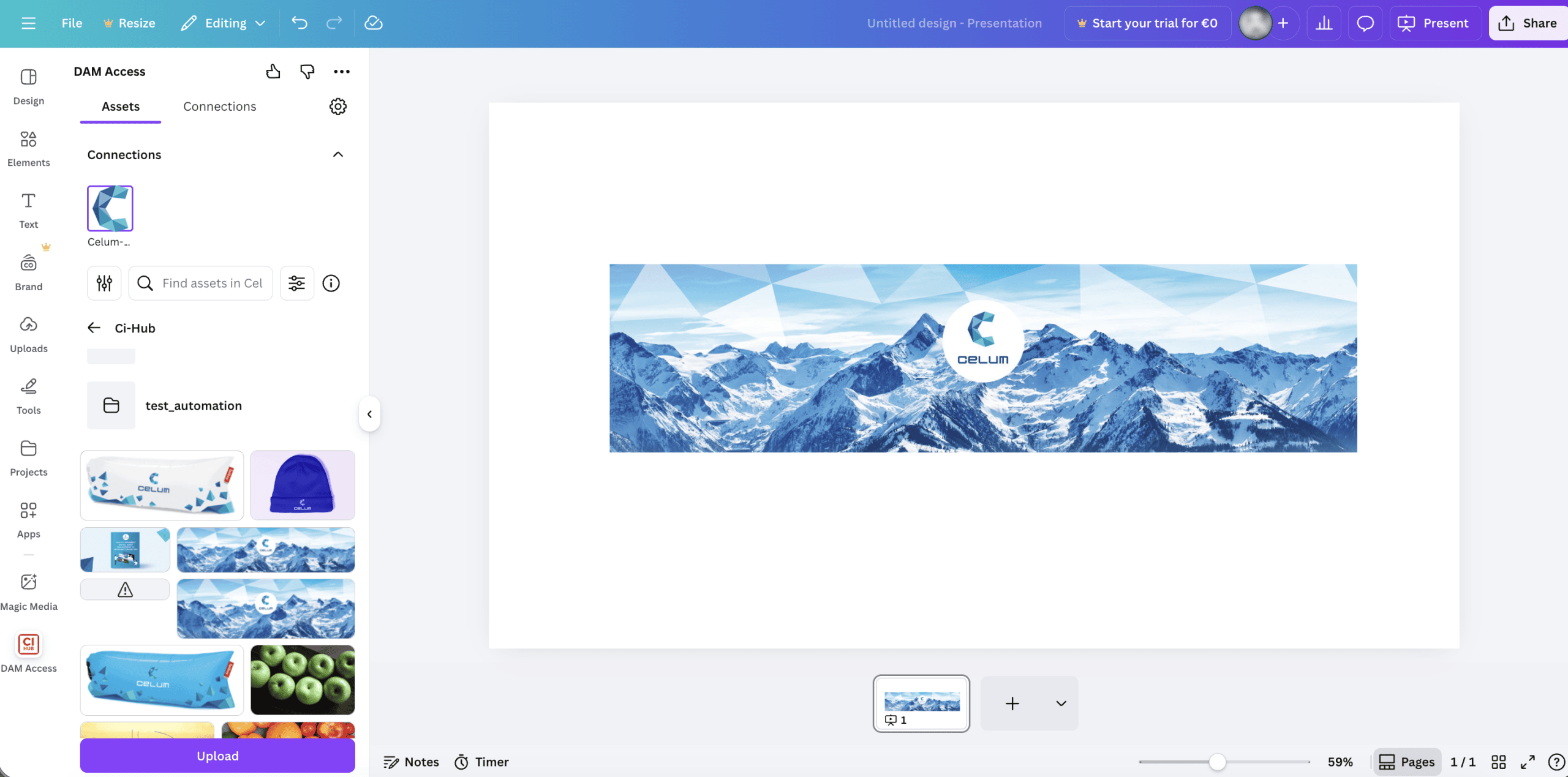
The CELUM Canva integration connects Canva directly with the CELUM DAM, so designers and marketers can search, browse, and drag-and-drop approved brand assets into Canva designs—without manual downloads or re-uploads.
Design teams value speed and simplicity, while brand and marketing teams require control and governance. This integration combines both: users get fast access to up-to-date, approved assets from CELUM, which eliminates repetitive file handling, reduces errors, and helps ensure assets are always used correctly—even in fast, self-service design environments.
benefits
FASTER DESIGN WORKFLOWS
NO MANUAL DOWNLOADING OR RE-UPLOADING
ALWAYS UP-TO-DATE, APPROVED ASSETS
BRAND CONSISTENCY WITH GOVERNANCE
features
Search CELUM assets in Canva
Browse and search your CELUM DAM directly in Canva—no context switching.
Drag & drop into designs
Insert logos, product images, videos, and graphics from CELUM straight into your Canva layout.
Work with up-to-date, approved content
Assets are sourced from CELUM, helping ensure teams use the latest, governed versions.
Eliminate manual downloads and re-upload
Remove repetitive file handling to cut time and avoid duplicates
Maintain brand control and governance
Combine Canva’s speed with centralised asset governance in CELUM.
Enable scalable self-service creation
Empower more users to create content in Canva while staying on-brand with CELUM-managed assets.