
What is CELUM Website Review?
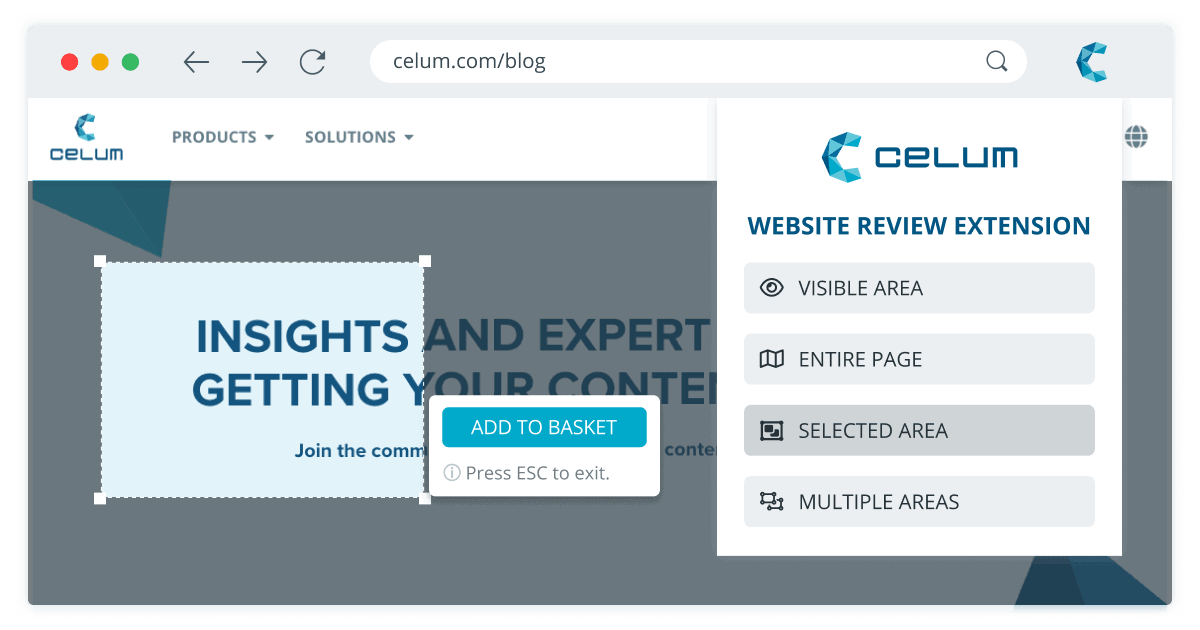
With the CELUM Website Review extension, you can capture any website or frontend view – whether published or unpublished – using flexible snapshot options and send it directly to CELUM Work to efficiently manage your review and approval processes.
Why does this extension make sense?
The CELUM Website Review extension streamlines collaboration around websites and frontend content by turning screenshots directly into structured review processes. Instead of scattering feedback across multiple tools and channels, all snapshots are brought together centrally in CELUM Work, where they can be annotated, commented on, and approved within a familiar workflow. This ensures clear ownership, full traceability, and faster alignment – whether you’re working with internal teams or external partners.
benefits
STREAMLINE WORK
Handle your review and approval process for any website or frontend inside CELUM.
FLEXIBLE CAPTURE OPTION
Select from the different options to choose how you want to capture your page.
SAVE TIME
Take snapshots of any webpage and add them to a task immediately. There is no need to download and upload them manually to CELUM. The extension handles it for you automatically.
INCREASE GOVERNANCE
Being able to review and approve these channels within a governed workflow brings consistency, transparency, and speed to the entire process.
features
Flexible Snapshot Capture
Capture exactly what you need: visible areas, full pages, or individually selected sections.
Create Tasks from Website Snapshots
An intuitive dialogue helps you assign snapshots directly to the right workroom and task in CELUM Work.
Review and Approval Workflow
Once you’ve added snapshots to a task in a workroom, you can run your existing review and approval process with comments and annotations.
Multilingual & Dark Mode
Supports English, German, and French, including a dark mode for a comfortable working experience.
Browser Availability
The extension works in Chrome, Microsoft Edge, and Firefox.