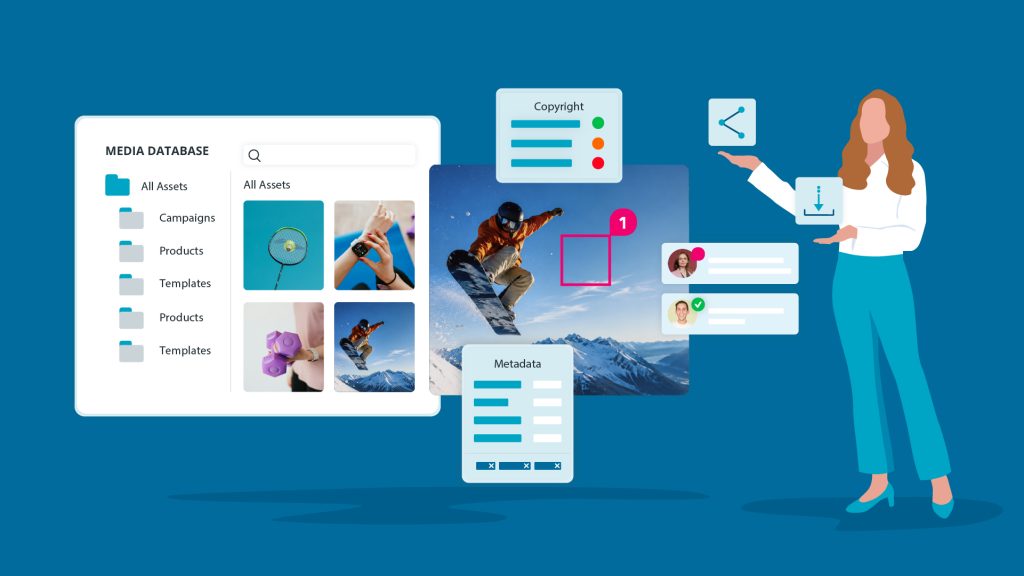
A media database is a centralized software system for storing, organizing and distributing media files such as images, videos and documents. Unlike traditional folder structures, it is built around metadata. This enables companies to manage large volumes of files quickly, securely and across multiple media types from a single source of truth. In this article, we explain what a media database is, how it works and how it differs from DAM solutions and cloud storage platforms.
Table of Contents
What Is a Media Database?
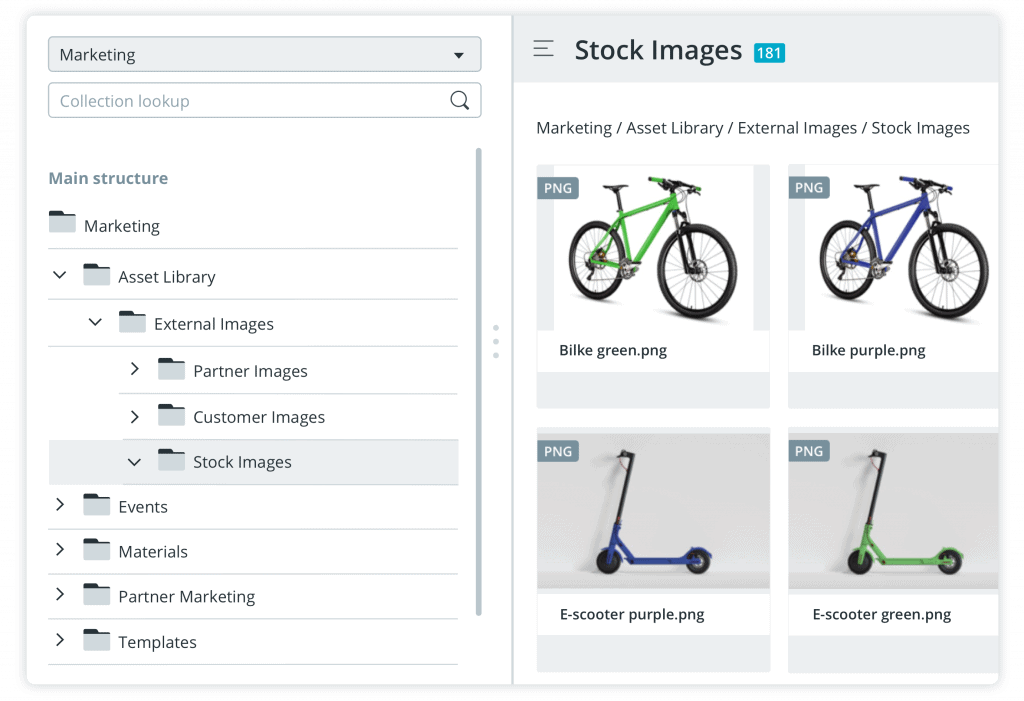
As organizations grow, so does the volume of images, files and documents they produce. A media database (often referred to as a media archive) solves the problem of scattered files, duplicate versions and unclear image rights.
It brings together all digital content across a business in one centralized, searchable location.
How Does a Media Database Work?
The workflow in a professional media database differs fundamentally from a simple network drive. It is built on three pillars:
- Data Upload (Ingestion): When files are uploaded, they are not simply stored but are immediately captured and structured.
- Metadata Enrichment: Files are enriched with keywords (tags), copyright information and descriptions. Modern systems use Artificial Intelligence (AI) to automatically recognize image content.
- Distribution: Employees or external partners can download files in exactly the format and size they need for their specific use case (e.g. print or web), without modifying the original file.
The Difference Between a Media Database and DAM

The terms media database and Digital Asset Management (DAM) are often used interchangeably, but there is an important distinction.
A media database focuses primarily on archiving and finding files. A modern Digital Asset Management (DAM) solution goes a step further by incorporating approval workflows, managing the entire lifecycle of a media asset and connecting to other business systems such as CMS platforms and online stores through APIs.
A media database is therefore always part of a DAM system. Conversely, a simple media database is not a full DAM solution because it lacks intelligent workflows, collaboration tools and extensive system integrations.
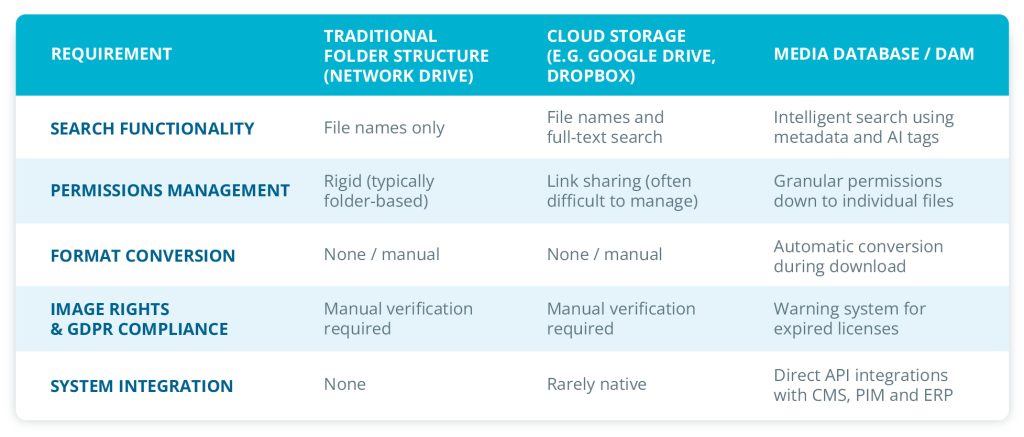
Comparison: Folder Structure vs Cloud Storage vs Media Database
Is it worth upgrading from network drives or services such as Google Drive to a specialized solution? The following comparison illustrates the differences in day-to-day operations.
Ready for the Next Level of Media Management?
A traditional media database quickly reaches its limits as file volumes increase, approval processes become more complex and teams grow larger.
CELUM goes far beyond simple file management and provides a highly scalable enterprise platform for Digital Asset Management (DAM) and Content Supply Chain Management specifically designed for the demanding requirements of manufacturers, retailers and multi-brand organizations.
- GDPR compliant & enterprise-ready
- EU cloud-based & high performance
- Trusted by global market leaders
The Most Important Features of Media Database Software
Today, organizations searching for a media database often actually need a fully featured DAM solution. A simple digital archive is no longer sufficient to support cross-functional marketing processes.
When selecting software, ensure that the platform goes beyond file storage and includes these key capabilities:
Metadata, Tagging & AI-Powered Classification
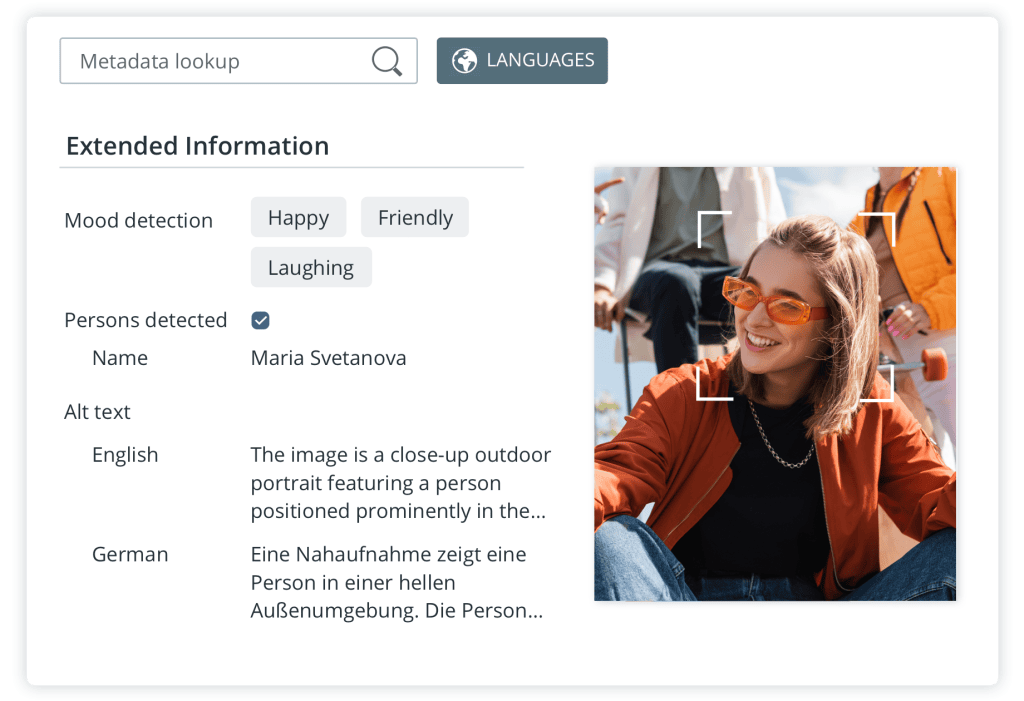
The heart of the system.
In addition to automatically reading EXIF and IPTC metadata (such as camera settings and photographer information), integrated AI analyzes image content. It identifies faces, objects and text within images and automatically assigns relevant keywords.
This significantly reduces manual tagging efforts.
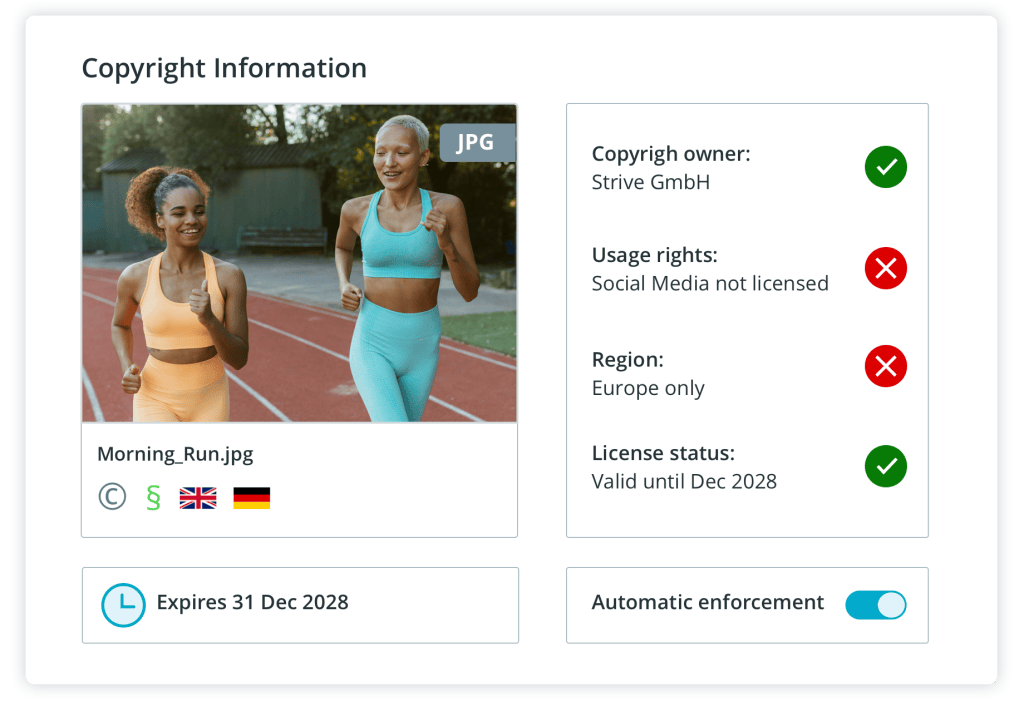
Rights & Role Management, Including Image Rights (GDPR)
One of the biggest sources of marketing errors is the use of images with expired licenses or missing model releases.
A media database links licensing agreements directly to the image itself. When a license expires, the image can be blocked from download or automatically marked with a watermark.
Integrations (CMS, PIM, ERP)
A media database should never become a data silo.
Native integrations allow editors to access image assets directly from within their CMS without switching systems. In e-commerce environments, the database can automatically provide current product images to the Product Information Management (PIM) system.
Who Benefits from a Media Database?
The move to professional media management becomes worthwhile as soon as multiple departments or external partners regularly work with digital assets.
For marketing and brand teams, the system ensures consistent brand communication because everyone accesses the latest approved logos and campaign assets.
In e-commerce, automation is the primary benefit. The database links thousands of product images directly to SKUs and seamlessly distributes them to online stores.
External collaboration is also significantly simplified. PR teams can provide journalists with secure media portals for direct downloads, while agencies can use the platform for secure file sharing and transparent approval workflows through Online Proofing with their clients.
Selecting the Right Software: A 5-Step Process
The market for media database systems is large. To avoid costly mistakes, follow this structured selection process:
- Needs Assessment: Define the number of users, current file volume (in terabytes) and expected growth.
- Define Use Cases: Determine whether you primarily need an archive or advanced approval workflows for campaigns.
- Hosting & Compliance: Decide between a cloud-based (SaaS) solution and an on-premises installation. Also check server locations for GDPR compliance.
- Review Integrations: Create a list of existing systems (CMS, PIM, CRM) that the database must integrate with.
- RFP & Proof of Concept: Do not rely solely on vendor presentations. Test shortlisted solutions using your own business data to evaluate usability.
Frequently Asked Questions About Media Databases (FAQ)
How Much Does Media Database Software Cost?
Pricing varies significantly depending on the solution.
Software-as-a-Service (SaaS) platforms typically charge based on the number of users (seats) or the amount of storage required.
Are There Free or Open-Source Media Databases?
Yes. Open-source options such as Pimcore or ResourceSpace are available.
While there are no licensing costs, they often require substantial internal IT expertise for hosting, customization and ongoing maintenance.
For most companies, SaaS solutions are the more economical choice.
How Complex Is Migrating Existing Data?
Data migration is often the most demanding part of implementing a media database.
Before importing assets into the new system, existing drives should be cleaned up by removing obsolete files and defining a clear metadata structure (taxonomy).
Strong software providers support this process through dedicated Customer Success teams.